Using the GDC
Use the GDC for graphs, equations, finance, statistics, distributions, tests and calculus, write down what the markscheme needs for each, avoid the common calculator pitfalls and prepare it for the exam.
- IB Mathematics: Applications and Interpretation
- Exam skills
- SL and HL
Introduction
Every paper in this course allows a graphic display calculator (GDC), and the course is built around using it well. Technology can make up as much as a third of the credit on Papers 1 and 2. The GDC finds roots, intersections, regression lines, probabilities, p-values and loan payments faster and more accurately than hand methods, and examiners' reports repeatedly note candidates who lost time doing by hand what the calculator does in seconds: solving three equations in three unknowns, or calculating a standard deviation from a list.
Using the GDC well takes more than pressing the right keys. The markscheme gives the method mark for setting the problem up correctly (the equation, the distribution, the entries) and the accuracy mark for the answer, so the calculator's work must be described on the page in mathematical language. The skills that follow cover what the GDC is expected to do, what to write down for each kind of calculation, the pitfalls that cost marks and how to prepare the calculator for the exam. Menus are named for two widely used models, the TI-84 Plus CE and the Casio fx-CG50, as examples only; other approved models have the same functions under different names.
Preparing the calculator
Approved calculators and exam mode
The IB publishes a list of permitted and prohibited calculators, updated regularly. Calculators with a computer algebra system (CAS), which manipulate algebra symbolically, are not allowed, apart from a few named models with the CAS switched off. Devices with wireless connections that candidates can use are not allowed. Candidates may not keep notes, programs or extra applications on the calculator that would remove the need to recall facts or formulae.
The way a calculator is made compliant depends on the model. In the IB's calculator rules for the 2026 examinations, for example, Casio models such as the fx-CG50 must be updated to the latest operating system and placed in "Examination Mode (for IB)" immediately before the exam; TI-Nspire models must be placed in "Press-to-Test" mode with a list of features blocked; and TI-84 Plus models have their memory reset and every application removed except a permitted list, which includes the finance application and the polynomial root finder and simultaneous equation solver (PlySmlt2). The TI-84's own built-in test mode is not used, because it blocks PlySmlt2. The Casio IB mode also disables the vector commands, so HL scalar and vector products are worked out by hand from their components. Rules change between sessions, so check the current list with your school's IB coordinator well before the exam.
 YouTube
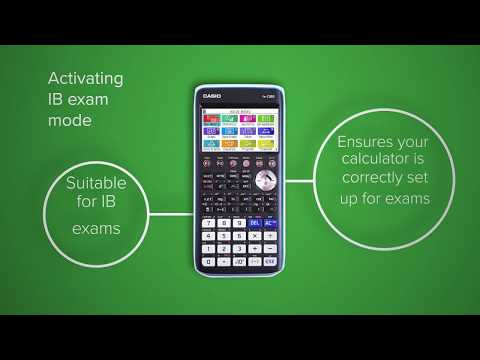
The Casio demonstration of exam mode shows how short the process is on that model. Practise it at least once before a mock exam, because exam mode removes saved programs and files, and some modes also change settings that need to be set again.
Settings to check before every paper
A few settings change answers without any warning. Check them at the start of every paper, and after any reset or exam-mode change.
Angle unit. SL geometry and trigonometry use degrees. On HL papers, radian measure is assumed unless the degree symbol is shown, so HL students switch between the two within a paper. TI-84 Plus CE:
MODE, thenDEGREEorRADIAN; Casio fx-CG50:SHIFTMENU(SET UP), then the Angle setting.Display. Use a floating display, not a fixed number of decimal places, so that unrounded values can be read.
Statistics diagnostics (TI-84 family). The value of is shown after a regression only when diagnostics are on:
DiagnosticOnfrom the catalogue, or the STAT DIAGNOSTICS setting inMODEon recent operating systems.
Graphs and their key features
Graphing is used in almost every topic of the course. A graph gives the zeros of a function, its maximum and minimum points, the intersections of two curves, and a picture of the behaviour that algebra alone can hide. The key features are found with the calculator's graph-analysis tools: TI-84 Plus CE 2nd TRACE (CALC) with zero, minimum, maximum, intersect; Casio fx-CG50 MENU → Graph, then SHIFT F5 (G-SOLVE) with ROOT, MAX, MIN, INTSECT.
Choosing a window
The standard viewing window (, ) is rarely right for a model in context. A profit function, a population or a height is usually far larger than 10 and only meaningful for positive values of the variable. Choose the window from the context: the domain stated in the question for , and a few values of the function (from its table) for .
- P(x) = −2x² + 120x − 1000
The profit graph shows why the window matters. In the standard window only a short, almost vertical piece of the curve near is visible, and the maximum at is far off the screen. With and , every key feature appears, and the sketch transferred to paper can show them all with their coordinates.
Transferring a graph to paper
When a question says "sketch", the graph on the screen must be transferred to the answer page with its key features. Draw axes with labels and the scale or the window's limits, the right shape in the right place, and each key point (intercepts, turning points, end points of the domain) labelled with its coordinates. Asymptotes are drawn as dashed lines and labelled with their equations. The command terms page of Exam skills explains how sketch, draw and plot differ.
Solving equations and systems
One equation
An equation such as is solved on the GDC either by graphing both sides and finding their intersection, or with the numerical equation solver (TI-84 Plus CE: MATH → Numeric Solver, called Solver on older operating systems; Casio fx-CG50: MENU → Equation → SOLVER). The graph is the safer of the two because it shows how many solutions there are; a numerical solver returns one solution, near its starting value, and says nothing about others.
Polynomial equations have their own tool, the polynomial root finder (TI-84 Plus CE: APPS → PlySmlt2 → polynomial root finder; Casio fx-CG50: MENU → Equation → POLY). It needs the equation rearranged so that one side is zero and the coefficients entered in order, including zeros for missing powers.
Systems of linear equations
A system of two or three linear equations is solved with the simultaneous equation solver (TI-84 Plus CE: APPS → PlySmlt2 → simultaneous equation solver; Casio fx-CG50: MENU → Equation → SIMUL). In this course a system on a paper always has a unique solution, so no particular method is needed. The equations must be written down first, with every variable defined, because most of the marks are for forming them.
Finance: the TVM solver
Compound interest, depreciation, loans and annuities are calculated with the finance solver, usually called the time value of money (TVM) solver (TI-84 Plus CE: APPS → Finance → TVM Solver; Casio fx-CG50: MENU → Financial → COMPND (compound interest)). It has seven entries: the number of payment periods , the annual interest rate , the present value , the payment each period , the future value , and the numbers of payments and of compounding periods per year, and . Any one entry can be found from the other six.
The solver uses a sign convention: money paid out by the person whose point of view is taken is negative, and money received is positive. An investment of $8000 is entered as , and the future value comes out positive. A loan received is , and the repayments are negative. If and have the same sign in a savings problem, the solver gives an error or a meaningless answer.
The full treatment of the solver, with savings, depreciation, inflation and amortization, is in subtopic 1.4, Financial applications of geometric sequences, and subtopic 1.7, Amortization and annuities. Markschemes give the method mark for an attempt to use the financial app and the accuracy mark for all entries correct, so every entry should be written on the page.
Statistics and regression
One-variable statistics
The mean, standard deviation, quartiles and other summary statistics of a data set are found with one-variable statistics (TI-84 Plus CE: STAT → CALC → 1-Var Stats; Casio fx-CG50: MENU → Statistics → CALC → 1-VAR). Data are entered in a list, with a second list for frequencies if the data are grouped. Calculating a standard deviation by hand is not expected; the GDC value is the answer.
The calculator shows two standard deviations. One divides by (shown as ) and one divides by (shown as or ). The standard deviation of a data set, as used in subtopic 4.3, is the one that divides by . The version is the unbiased estimate of a population's standard deviation, used by HL students in subtopic 4.14. For the eight values in a set of reaction times, for example, the two are 0.105 and 0.112: different enough to lose an accuracy mark.
Quartiles from the GDC can differ from quartiles found by hand, because more than one method exists. On a paper, values from the GDC are accepted.
Regression and correlation
The regression line of on and Pearson's correlation coefficient come from the linear regression function (TI-84 Plus CE: STAT → CALC → LinReg(ax+b); Casio fx-CG50: MENU → Statistics → CALC → REG → X → ax+b). Write the equation using the variables of the question, with coefficients to 3 significant figures: , not . HL students also fit quadratic, cubic, exponential, power and sine models and use to compare them (subtopic 4.13).
Probability distributions
The binomial, normal and (at HL) Poisson distributions are calculated with the distribution functions (TI-84 Plus CE: 2nd VARS (DISTR), with binompdf, binomcdf, normalcdf, invNorm, poissonpdf, poissoncdf; Casio fx-CG50: MENU → Statistics → DIST). What goes on the page is the distribution with its parameters and the probability in mathematical notation, never the calculator command.
For the binomial distribution, the cumulative function gives , and other inequalities are rewritten in that form. If , then . Using instead gives 0.113, which answers a different question.
Hypothesis tests
The tests in the course are run on the GDC, which gives the test statistic and the p-value (TI-84 Plus CE: STAT → TESTS, with χ²-Test, χ²GOF-Test and 2-SampTTest; Casio fx-CG50: MENU → Statistics → TEST). For a chi-squared test for independence, the observed frequencies are entered as a matrix, and the calculator also produces the expected frequencies. What goes on the page is the full structure of the test: hypotheses, the test used, the p-value (or the statistic and critical value), the comparison and the conclusion in context. When data are entered, write them down too, so that follow-through marks are possible if the p-value is wrong.
The pooled t-test
The two-sample t-test has a setting that pools the two samples' variances, or not. On the papers, the two groups are assumed to have equal variances, so the pooled test is used. The two settings give different p-values, and markschemes have given only part of the marks for the unpooled value.
The write-up of each test is taught in full in subtopic 4.11, Hypothesis testing, and, for HL, subtopic 4.18, Further hypothesis testing.
Calculus, matrices and complex numbers
The GDC finds the gradient of a function at a point and the value of a definite integral numerically (TI-84 Plus CE: MATH → nDeriv( and fnInt(, or dy/dx and ∫f(x)dx in the graph's CALC menu; Casio fx-CG50: in Run-Matrix, OPTN → CALC → d/dx and ∫dx, or G-SOLVE → ∫dx on a graph). For a definite integral the page shows the integral with its limits and , then the value: . Markschemes award a mark for the limits in the right places and withhold a mark when is missing.
HL students also use the GDC for matrix arithmetic, determinants and inverses (TI-84 Plus CE: 2nd x⁻¹ (MATRIX); Casio fx-CG50: MENU → Run-Matrix), for powers of transition matrices, and for complex-number arithmetic and conversion between forms. As with every calculation, the matrices or numbers entered and the operation performed are written in mathematical notation.
What to write down: a summary
Calculation | Write on the page |
|---|---|
Graph feature | The function graphed, the window if relevant, the feature and its coordinates; a labelled sketch where helpful |
Equation | The equation solved, all relevant solutions, any rejected value with a reason |
System of equations | Variables defined, every equation, the solution |
Finance | Every TVM entry (N, I%, PV, PMT, FV, P/Y, C/Y); the answer as a positive amount with currency |
Summary statistics | The value with its name (mean, standard deviation, IQR) |
Regression | The model type and the equation in the question's variables |
Probability | The distribution with parameters and the probability statement, e.g. , |
Hypothesis test | Hypotheses, the test, the data entered, the p-value, the comparison, the conclusion in context |
Derivative or integral | The function, the point or the limits, |
Common GDC pitfalls
Calculator notation on the answer line is another frequent loss. A display such as 2.6E-4 must be written , and a command such as normalcdf(53,1E99,52.3,0.4) must be replaced by with the distribution stated. Calculator notation may earn a method mark but not the accuracy mark.
The remaining pitfalls are the ones already met: a window that hides a feature, the wrong standard deviation, the wrong sign in the TVM solver, the unpooled t-test, and an inverse normal entered with the wrong tail. Each is quick to check once you know to look for it.
Summary
The GDC is allowed on every paper; the marks are for the mathematics set up on the page and the answer, not for keystrokes.
Check exam mode, the angle unit, the display and statistics diagnostics before every paper; confirm the current approved-calculator rules with your coordinator.
Choose a graph window from the context, and graph before solving so you know how many solutions to find.
The TVM solver uses a sign convention: money paid out is negative; write every entry, and give money answers as positive values.
A data set's standard deviation divides by ; the value is the HL unbiased estimate.
Write distributions and probabilities in notation (, ), never as calculator commands.
Use the pooled two-sample t-test; write the full structure of every hypothesis test.
Keep unrounded values in the calculator and never write calculator notation in an answer.
Self-check
- To do:
I can put my calculator into exam mode and know what it removes.
- To do:
I can set the angle unit, and I know when each paper needs degrees or radians.
- To do:
I can choose a window that shows every key feature of a model in context.
- To do:
I can find zeros, maxima, minima and intersections and transfer them to a labelled sketch.
- To do:
I can solve a system of equations and a polynomial equation with the GDC, writing the set-up first.
- To do:
I can enter a loan or an investment in the TVM solver with the correct signs.
- To do:
I can tell which standard deviation the calculator shows for a data set.
- To do:
I can find binomial and normal probabilities and write them in correct notation.
- To do:
I can run a pooled t-test and a chi-squared test and write each in full.
- To do:
I can write a definite integral with its limits and before giving its value.
Carry on with Maths AI in Augment
With a free account, Augment remembers where you stopped in the notes and which questions you have marked.